Why Verifying Encryption Matters More Than Ever
In 2026, messaging apps process over 100 billion messages daily, and nearly all of them claim to offer “encryption.” But the reality is far more nuanced. Not all encryption is created equal, and trusting an app’s marketing claims without verification can leave your sensitive conversations exposed to surveillance, data breaches, or corporate data harvesting.
The encryption landscape has evolved significantly. Apps like BatChat, Signal, and Session have pushed the industry toward stronger default encryption, while mainstream platforms still offer confusing security tiers. WhatsApp, for example, uses end-to-end encryption by default, but its metadata collection practices remain a concern for privacy-conscious users. Telegram, despite its popularity, only encrypts secret chats by default — regular chats live on the company’s servers.
This guide gives you a practical, actionable checklist for verifying the encryption of any messaging app. Whether you’re evaluating a new app like BatChat or auditing your current setup, these steps will help you determine whether your messages are genuinely protected. For a broader overview of available options, our BatChat vs Telegram comparison illustrates how encryption implementations differ between popular apps.
Step 1: Check the Encryption Protocol
The encryption protocol is the cryptographic foundation of any secure messenger. It determines how messages are scrambled, transmitted, and decrypted. Understanding which protocol an app uses is the single most important verification step.

The Signal Protocol
The Signal Protocol is widely regarded as the gold standard for messaging encryption. Developed by Open Whisper Systems (now the Signal Foundation), it uses a combination of Double Ratchet Algorithm, X3DH key exchange, and Sesame encrypted group messaging. Apps built on the Signal Protocol include Signal itself, WhatsApp, Facebook Messenger’s secret conversations, and Google Messages (RCS).
The key advantage of the Signal Protocol is its forward secrecy — even if someone compromises your device at a later date, they cannot decrypt past conversations because each message uses a unique encryption key. The Double Ratchet algorithm ensures that key compromise doesn’t cascade to other messages.
The Nostr Protocol
Nostr (Notes and Other Stuff Transmitted by Relays) takes a different approach. It’s a decentralized, open protocol where messages are published to relays rather than centralized servers. Encryption in Nostr is optional and handled at the client level using NIP-04 (direct messages) or NIP-44 (sealed direct messages). While innovative, Nostr’s encryption is less mature than the Signal Protocol, and the decentralized nature means metadata is harder to protect.
The BatChat Protocol
BatChat uses a custom end-to-end encryption protocol built on elliptic curve cryptography (Curve25519) and the AES-256 cipher for message content. Similar to the Signal Protocol, it implements forward secrecy through periodic key rotation. BatChat also encrypts file attachments end-to-end, which not all apps do. The protocol is closed-source, which raises transparency concerns for cryptography experts, but independent security audits have been conducted.
The XMPP + OMEMO Protocol
OMEMO is the encryption extension for XMPP (Jabber), implemented in apps like Conversations, Dino, and Gajim. It uses the Double Ratchet algorithm (same as Signal) and provides end-to-end encryption for one-on-one and group chats. OMEMO is an open standard maintained by the XSF (XMPP Standards Foundation), making it one of the most transparent encryption options available.
How to Identify the Protocol
Most apps document their encryption protocol in their security whitepaper or privacy policy. Look for specific cryptographic primitives rather than vague claims. “Military-grade encryption” is meaningless — you want to see references to specific algorithms like AES-256, Curve25519, or the Double Ratchet. If an app can’t tell you exactly which protocol it uses, that’s a significant red flag.
When evaluating protocols, pay attention to key exchange mechanisms. The X3DH (Extended Triple Diffie-Hellman) key exchange used by Signal and BatChat provides authentication — it verifies that you’re actually communicating with the intended person, not an impostor. Older key exchange methods like simple RSA key exchange don’t provide this authentication layer and are vulnerable to man-in-the-middle attacks.
Step 2: Verify the Source Code
Open-source code is one of the strongest indicators of trustworthy encryption. When the source code is publicly available, independent security researchers can audit the implementation for backdoors, vulnerabilities, or intentional weaknesses.
Fully Open-Source Apps

Apps like Signal, Session, Conversations, and Element (Matrix) publish their complete source code on GitHub. This allows anyone to verify that the encryption implementation matches the claimed protocol. The Signal Protocol itself is open-source, and multiple independent audits have confirmed its security. Session builds on the Signal Protocol but routes messages through the decentralized Loki network (now Oxen) for additional metadata protection.
Partially Open-Source Apps
Some apps open-source only the client-side code while keeping the server-side code proprietary. WhatsApp is the most notable example — the client is partially open-source, but the server implementation remains closed. This means you can verify how messages are encrypted on your device, but you cannot verify how the server handles key exchange, message storage, or delivery. For end-to-end encrypted conversations, server-side code matters less because the server cannot decrypt messages. However, server-side vulnerabilities could still affect metadata or key management.
Closed-Source Apps
Closed-source apps like BatChat, Telegram (the main client), and iMessage require a greater leap of faith. Without source code access, you must rely on the developer’s claims and any third-party security audits. BatChat has commissioned independent audits, which is better than nothing, but closed-source encryption fundamentally limits transparency. The risk isn’t necessarily that the developer is malicious — it’s that bugs or weaknesses could go undetected without community scrutiny.
Red Flags to Watch For
- No audit history: If a closed-source app has never been independently audited, treat its encryption claims with extreme skepticism.
- Outdated audits: A security audit from 2019 doesn’t guarantee the 2026 version is secure. Apps should undergo regular audits, especially after major updates.
- Vague audit scope: Some apps commission audits that only cover specific components (like the login flow) while leaving the encryption implementation unaudited.
- No bug bounty program: Apps that take security seriously offer bug bounties to incentivize researchers to find and report vulnerabilities.
Step 3: Test End-to-End Encryption Yourself
Theoretical encryption is one thing — practical verification is another. You can perform several hands-on tests to confirm that encryption is actually working as claimed.
The Session Key Verification Test
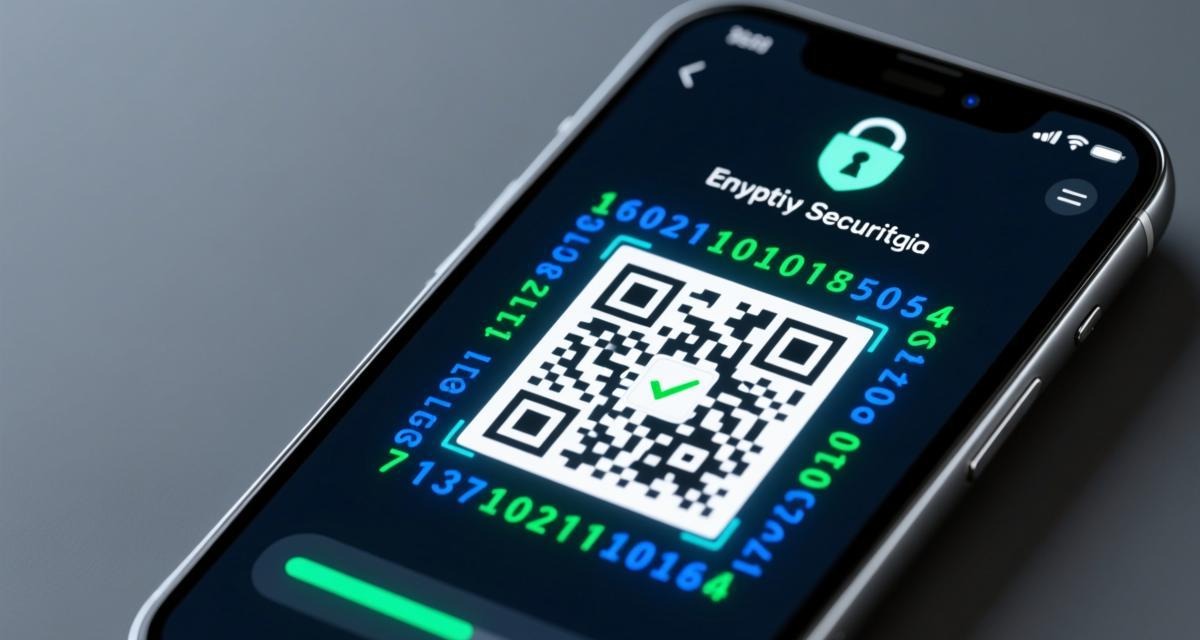
Most secure messengers allow you to verify the encryption keys of your contacts through safety numbers, QR codes, or fingerprints. This confirms that no man-in-the-middle attack is occurring. In Signal, tap on a contact’s name and select “View Safety Number.” In BatChat, the verification process involves comparing encryption fingerprints displayed in the chat settings. If the safety numbers match on both devices, the encryption is genuine. If they differ, someone may be intercepting your communication.
The Network Traffic Test

For advanced users, examining network traffic with tools like Wireshark can reveal whether messages are encrypted in transit. Connect to the same Wi-Fi network, start a packet capture, and send a test message. If you can read the message content in the captured packets, encryption is not working or is not end-to-end. Note that even with end-to-end encryption, you’ll see encrypted data packets — the point is that the content should be unreadable.
The Multi-Device Test
Check how the app handles encryption across multiple devices. Apps that sync messages across devices (like WhatsApp and BatChat) must implement encryption differently than single-device apps. The key question is: can the app read your messages on the server before delivering them to other devices? Signal’s approach is the most secure — linked devices receive their own encryption keys and the server never has access to plaintext messages. Other apps may temporarily decrypt messages on the server for syncing, which creates a potential attack vector.
The Device Takeover Test
Change your device or reinstall the app. After logging in, check whether you can still read old messages. If you can, the app either stores messages on the server (where they might be accessible) or uses insecure key backup methods. Signal, by default, does not transfer message history to new devices. You start fresh. BatChat offers message restoration from server backups, which is convenient but means the server holds encrypted message history — the security depends on whether the backup encryption keys are stored securely on-device. For users setting up a new app, our beginner’s setup guide covers secure initial configuration.
Step 4: Evaluate Metadata Protection
Encryption protects message content, but metadata — who you talk to, when, how often, and from where — can be equally revealing. A truly secure messenger protects both.
What Metadata Reveals
Even with perfect end-to-end encryption, metadata analysis can reveal your social graph, daily routines, and relationships. Law enforcement and intelligence agencies frequently use metadata as a surveillance tool because it’s often less protected than message content. Knowing that you communicate with a specific journalist every day at 9 AM is sensitive information, even if the content of those messages is encrypted.
Metadata Protection Comparison
Session offers the strongest metadata protection among mainstream options. It routes all traffic through the Oxen network (a mixnet), hiding your IP address and the recipient’s IP address from the server. No phone number or email is required, and the server only knows that encrypted data was sent, not who sent it or who received it. Signal requires a phone number for registration, which links your account to a real-world identity. The Signal server knows who is communicating with whom, though not what they’re saying. BatChat collects minimal metadata but does store device identifiers and IP addresses for abuse prevention. Telegram stores extensive metadata, including chat participants, message timestamps, and file sharing activity, on its servers in plain text.
🚀 Ready to experience secure messaging? Download now — it's completely free.
⬇️ Download BatChat FreeThe Sealed Sender Pattern
Signal’s sealed sender feature (used in Signal, not by WhatsApp despite sharing the protocol) hides the sender’s identity from the server. The server knows a message was delivered to you but cannot determine who sent it without your cooperation. This is a significant improvement over traditional metadata exposure. Session takes this further by default — the network fundamentally cannot associate messages with sender identities.
Step 5: Check Key Management and Storage
Encryption is only as strong as how keys are managed and stored. Poor key management can undermine even the strongest encryption protocol.
Key Generation
The app should generate encryption keys locally on your device using a cryptographically secure random number generator (CSPRNG). Keys generated server-side and sent to the client are inherently less secure because the server has seen them. Both Signal and BatChat generate keys locally. Signal uses its own CSPRNG implementation, while BatChat relies on the operating system’s secure random API.
Key Storage
Encryption keys should be stored in a hardware-backed keystore (like Android’s Keystore or iOS’s Secure Enclave) whenever possible. Software-only key storage is vulnerable to malware, root access, or physical device theft. Signal stores its keys in the Android Keystore or iOS Keychain, which are hardware-backed. BatChat stores keys in the app’s sandbox directory, protected by the operating system’s file permissions but not necessarily hardware-backed on all devices.
Key Backup
Key backup is one of the trickiest trade-offs in secure messaging. If you lose your device and have no key backup, you lose access to all past messages. If you back up keys insecurely, anyone who obtains the backup can decrypt your messages. Signal’s approach is to not offer server-side key backups by default — you lose message history when you change devices. Signal Pins (used for account recovery) don’t restore message history, only your account. BatChat offers encrypted message backups, but the backup security depends on a user-chosen passphrase. If the passphrase is weak or reused, the backup is vulnerable.
Step 6: Review the Audit History
Security audits provide independent verification that an app’s encryption implementation is sound. No app should be trusted based solely on its own claims.
What to Look For in an Audit
- Auditor credibility: Reputable firms include Trail of Bits, Cure53, NCC Group, and Quarkslab. University research teams are also credible.
- Audit scope: A comprehensive audit covers the protocol, the client implementation, the server implementation, and the key management system.
- Audit recency: Audits should be conducted within the last 1-2 years, especially for actively maintained apps.
- Vulnerability disclosure: Look for published audit reports, not just a “we passed” badge. The report should detail findings and how they were addressed.
Audit Status of Popular Apps

Signal has been audited multiple times by Trail of Bits (2020), with all critical and high-severity findings addressed. Session’s protocol (the Signal Protocol base) inherits Signal’s audit history, with additional audits of its routing infrastructure by Cure53 (2021). BatChat commissioned an audit by an independent security firm in 2025, with findings related to metadata handling addressed in subsequent updates. WhatsApp has been audited by several firms, but the audit scope has been limited to the client-side encryption implementation, not the server-side infrastructure.
Step 7: Assess the Threat Model Fit
No single app is the “most secure” for everyone. The right choice depends on your specific threat model — what you’re protecting against and what trade-offs you’re willing to accept.
For Journalists and Activists
If your adversary is a nation-state, you need Session or Signal with sealed sender. Session’s network-level anonymity provides the strongest protection against traffic analysis. Signal’s simplicity and audit history make it a reliable choice when you need proven security. Both should be used on a dedicated device with a VPN or Tor connection.
For General Privacy-Conscious Users
Signal or BatChat provide an excellent balance of security and usability. Signal offers the strongest encryption pedigree, while BatChat provides more features (group management, file sharing, multi-device sync) with strong (though closed-source) encryption. The trade-off between openness and features is a personal decision.
For Business Communication
Consider whether the app supports enterprise features like device management, admin controls, and compliance logging. BatChat and Element (Matrix) offer business-oriented features while maintaining encryption. Element’s federated model is particularly attractive for organizations that want to self-host their communication infrastructure.
For Low-Tech Users
The most secure app is useless if the person you’re communicating with can’t use it. WhatsApp has the largest user base and provides end-to-end encryption by default, making it a practical choice for encrypted communication with non-technical contacts. The trade-off is metadata collection and Facebook’s data practices.
Step 8: Perform a Final Security Checklist
Before trusting any messaging app with sensitive conversations, run through this comprehensive checklist:
- Encryption protocol: Identified and documented (Signal Protocol, custom ECC+AES-256, OMEMO, etc.)
- Source code: Open-source (ideal) or independently audited (minimum acceptable)
- Key verification: Safety numbers or QR code verification available
- Forward secrecy: Compromising one key doesn’t decrypt past or future messages
- Metadata protection: IP address, contact lists, and communication patterns are protected
- Key storage: Hardware-backed keystore preferred, OS-level sandbox minimum
- Audit history: Independent audit within 2 years with published findings
- Default encryption: All chats encrypted by default, not just “secret” or “private” chats
- File encryption: Attachments and media are encrypted, not just text messages
- Group encryption: Group chats use proper group encryption protocols, not pairwise keys
No app will check every box perfectly. The goal is to understand the trade-offs and make an informed decision based on your specific needs. Security is a spectrum, not a binary state. For a deeper understanding of how specific apps implement encryption, our technical breakdown of BatChat’s encryption provides a detailed analysis of one app’s cryptographic architecture.
Conclusion: Encryption Verification Is an Ongoing Process
Encryption verification isn’t a one-time task. Apps update their protocols, new vulnerabilities are discovered, and your threat model evolves. The checklist in this guide should be revisited periodically — at minimum, whenever an app releases a major update or you change your security requirements.
The most important takeaway is skepticism. When an app claims to be “encrypted” or “secure,” demand specifics. Which protocol? Is it audited? Where are keys stored? How is metadata handled? The apps that can answer these questions transparently are the ones worth trusting.
For users who want a reliable, feature-rich encrypted messenger, our BatChat 2026 review provides a detailed assessment of one of the most promising options. If you’re comparing specific apps, our BatChat vs Signal comparison examines two leading contenders side by side. For a broader overview, our best encrypted messaging apps guide ranks the top options across security, usability, and privacy.
Frequently Asked Questions
Can encrypted messages be decrypted by the app developer?
With true end-to-end encryption, no. The app developer cannot read your messages because they don’t have your private decryption keys. However, if the app stores encryption keys on its servers (for multi-device sync or backup), the server could potentially access those keys depending on how they’re protected. Always check whether keys are stored only on-device or also on the server.
How do I know if my chat is actually end-to-end encrypted?
Look for encryption indicators in the chat interface. Signal shows a lock icon and allows safety number verification. BatChat displays encryption status in chat settings. WhatsApp shows a lock icon. If there’s no visible encryption indicator and no way to verify your contact’s encryption keys, the chat may not be end-to-end encrypted.
Is Telegram really encrypted?
Only partially. Telegram’s “Secret Chats” use end-to-end encryption with the MTProto 2.0 protocol, but these are device-bound and don’t sync across devices. Regular Telegram chats are encrypted in transit (between your device and Telegram’s servers) but not end-to-end — Telegram’s servers can read the content. For sensitive conversations, always use Secret Chats or choose an app with default end-to-end encryption.
What’s the difference between encryption in transit and end-to-end encryption?
Encryption in transit (TLS/SSL) protects data as it travels between your device and a server, but the server can decrypt and read it. End-to-end encryption ensures that only the communicating parties can decrypt messages — the server, network operators, and even the app developer cannot read them. Most apps use TLS, but only apps with end-to-end encryption protect message content from the service provider.
Should I trust closed-source encrypted messengers?
Not blindly. A closed-source app with independent security audits is better than no audits, but open-source apps provide stronger guarantees because anyone can verify the encryption implementation. If you must use a closed-source app, verify that it has been audited by a reputable firm within the last two years, check the audit scope, and consider whether the trade-offs (features, usability) justify the reduced transparency.